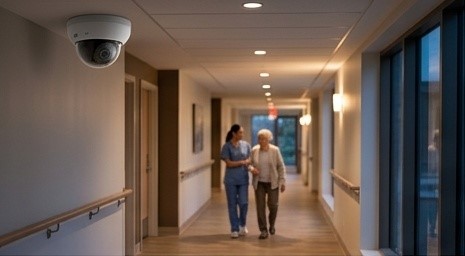
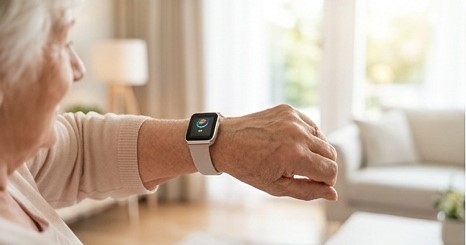
The short version: Smart pendants, watches, and fall-detection bands are moving into retirement residences fast — and every one of them is a networked device. Before you roll out wearables, here’s what they demand from your Wi-Fi, your gateways, and your support model.
What “wearables for seniors” actually includes
- Fall-detection pendants and wristbands — accelerometers and gyroscopes that recognize fall patterns and trigger alerts automatically.
- Smartwatches with health tracking — heart rate, activity, and in some models fall detection and emergency SOS.
- GPS wander-management bands — for memory-care residents, geofenced perimeters with instant alerts.
- Medical alert systems, modernized — the old “help, I’ve fallen” button, now with automatic detection and two-way voice.
The common thread: none of these work standalone. Every one needs the building to cooperate.
How wearables talk to your building
Understanding the connection path is the whole game:
- Bluetooth Low Energy (BLE) to gateways. Most pendants and bands don’t have Wi-Fi — they talk BLE to gateway devices mounted in corridors and rooms, which bridge to the network. No gateway in range, no alert.
- Wi-Fi direct. Smartwatches with Wi-Fi connect like any other device — which means they roam, they need coverage everywhere, and they consume airtime.
- Cellular fallback. Some devices carry their own SIM as backup. Useful, but it doesn’t replace building coverage — and it adds a subscription per device.
- Cloud platforms. Alerts travel from device to gateway to cloud to staff phone or dashboard. Every hop is a dependency; the building’s internet connection is the one you control.
The network load nobody budgets for
Here’s the math operators miss: a residence rolling out wearables isn’t just adding one device per resident. It’s pendants plus gateways in every corridor, plus staff tablets, plus the existing phones, laptops, TVs, and building systems — easily several hundred always-on connections competing for the same airtime.
What that demands:
- Engineered Wi-Fi density, not just coverage. Coverage means a signal reaches. Density means hundreds of devices can all talk at once without choking. Different engineering problem, different access-point placement.
- Gateway placement as a design discipline. BLE gateways need to be where residents actually are — rooms, bathrooms, lounges, gardens — not just where it’s convenient to mount them. A pendant that can’t reach a gateway is jewelry, not a safety device.
- A dedicated SSID and VLAN for care devices. Wearables and gateways on their own segmented network, firewalled from guest and staff traffic. Non-negotiable for both performance and privacy.
- Roaming that actually works. Residents move. Their devices must hand off between access points seamlessly — sticky clients that cling to a distant AP are a classic cause of “the pendant didn’t alert.”
- Upstream bandwidth with headroom. Alerts are small, but firmware updates, cloud dashboards, and companion video systems share the same pipe. Size for the peak, not the average.
The support model: wearables break, batteries die
The unglamorous truth about wearables is operational:
- Charging discipline. A dead pendant protects nobody. Someone has to own the charging routine — and the network should flag devices that haven’t checked in, so a dead battery becomes an alert, not a discovery.
- Pairing and provisioning. Every new resident means provisioning, pairing, and testing. Without a documented process, this becomes hallway IT chaos.
- False positives. Fall detection tuned too sensitively pages staff for every dropped pendant. Tuning and workflow design are part of the deployment, not an afterthought.
- Monitoring the monitors. 24/7 device-health monitoring with human escalation. If a gateway goes offline on a wing, you want to know in minutes.
Privacy and trust: the conversation to have early
Wearables collect health and location data from vulnerable people. Get ahead of it:
- Know where data goes — device, gateway, cloud vendor, and who can see it.
- Segment care-device traffic so it never mingles with guest networks.
- Have a plain-language answer for residents and families: what is tracked, what isn’t, and who sees alerts.
References & Data
- Public Health Agency of Canada — falls cause 89% of injury-related hospitalizations among older adults; 34% involve hip fracture; 20–30% of older adults fall each year.
- Canadian Institute for Health Information (CIHI) — injury and trauma statistics, July 2026: ~291,000 injury hospitalizations in 2024–2025; falls remain the leading cause.
- Statistics Canada — Population Projections (2025–2075): rapid growth of the 85+ population 2031–2050, the heaviest users of wearable safety tech.
Don’t let the wearables outrun the network
Smart wearables are some of the highest-value technology a residence can deploy — when the building is ready for them. If your Wi-Fi was designed for the front office, your devices share one flat network, or dead batteries are discovered by accident, fix the foundation first. Then the wearables do what the brochure promised.
IT Like Life provides hands-on IT consulting, network infrastructure design, web development, and 24/7 tech support for senior living facilities, hospitality, and small businesses across the Greater Toronto Area. We engineer the network first — coverage, segmentation, failover, monitoring — so every device you add performs.
Call 647-500-3381 — 24/7 support, ~30-minute average response. itlikelife.com